
One profile per ticker holds the whole case.
A Research profile keeps, under one symbol, what you think, what the issuer published and what you concluded: twelve pages, each entry with its source and its date. Open it before the next call and the context is already there.
- Pages
- 12 per profileOverview to Comments, in three families
- Analyses
- 7 kindsEach verdict on its own scale, never added up
- Decisions
- DatedWith their side, recorded price and reason
- Export
- Structured textThe whole profile, for your next session
- Think
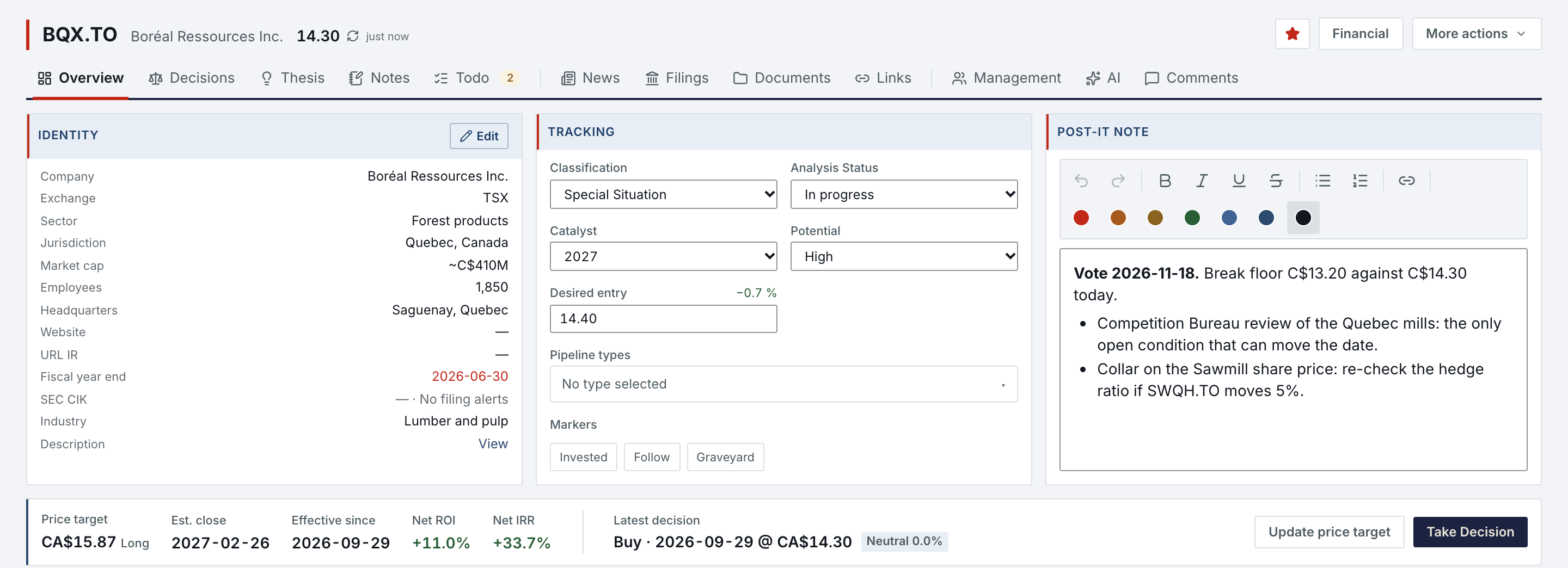
- Overview, Decisions, Thesis, Notes and Todo: what you believe about the issuer and what you will do about it.
- Published
- News, Filings, Documents and Links: what the issuer published, and the sources you keep beside it.
- Concluded
- Management, AI and Comments: the people behind the issuer, the seven analyses and your remarks on reports.
- Tracking
- Classification, analysis status, catalyst, potential and your desired entry, set on the Overview's Tracking card.
The thesis is one page, kept current.
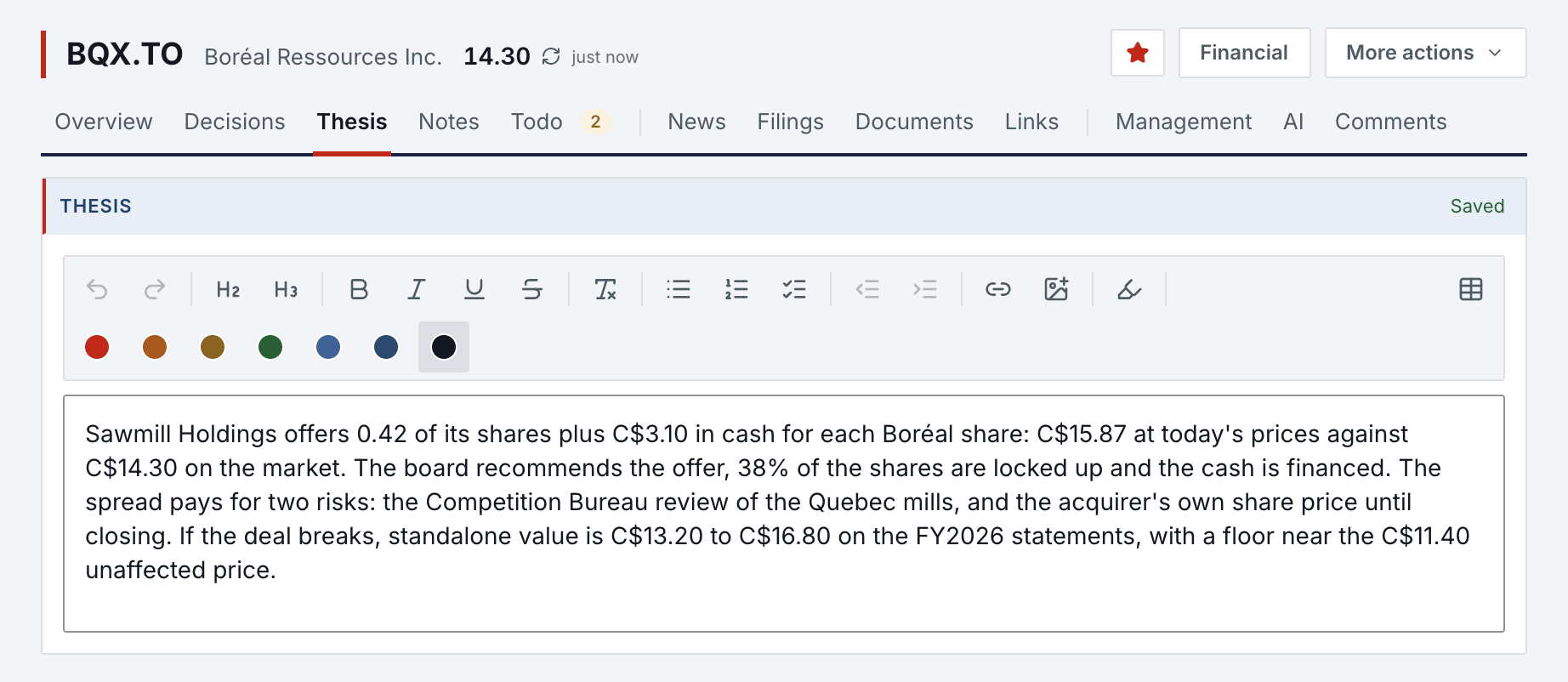
The Thesis page holds the case in rich text: headings, lists, tables, links, colours and images, saved as you write. On a phone it is the same page, one menu away from the profile header.

Decisions are dated and priced, and the target keeps its own journal.
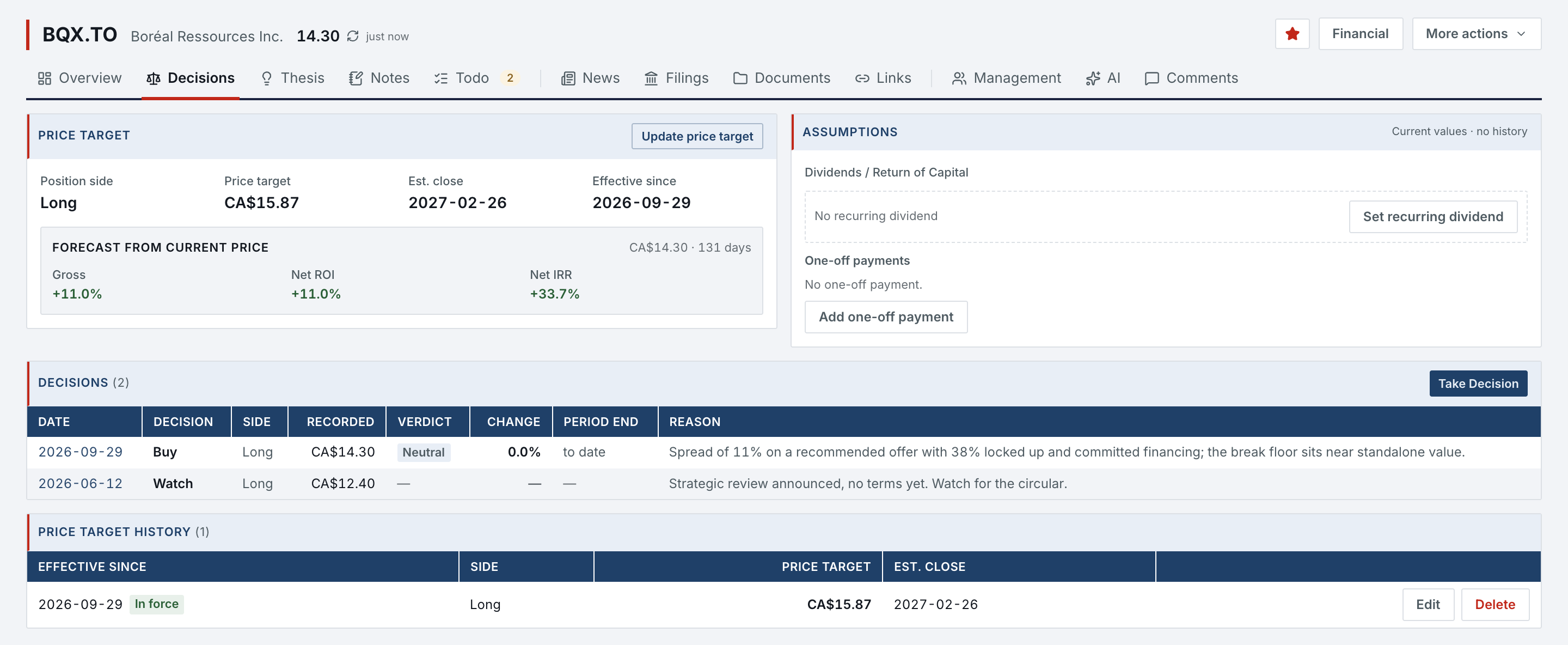
Take Decision records Buy, Hold, Sell, Watch, Pass, Short or Cover with its side, its recorded price and an optional reason. The price target is a separate journal of dated revisions, each with its side, price and estimated close, and a decision never changes it. From the current price, the profile shows the gross return, the net ROI and the net IRR to the target in force; recurring dividends and one-off payments run to the estimated close.
- Recorded
- Each decision keeps its date, side, recorded price and reason.
- In force
- One revision of the price target is in force at a time, and every projected return reads it.
- Graded
- The Decisions page later rates each decision Good, Neutral or Bad against the price that followed, within a neutral band you set.
Follow-ups stay with the issuer.
Tasks, notes and documents belong to the profile they concern, so the next session starts where the last one stopped.
- Todo
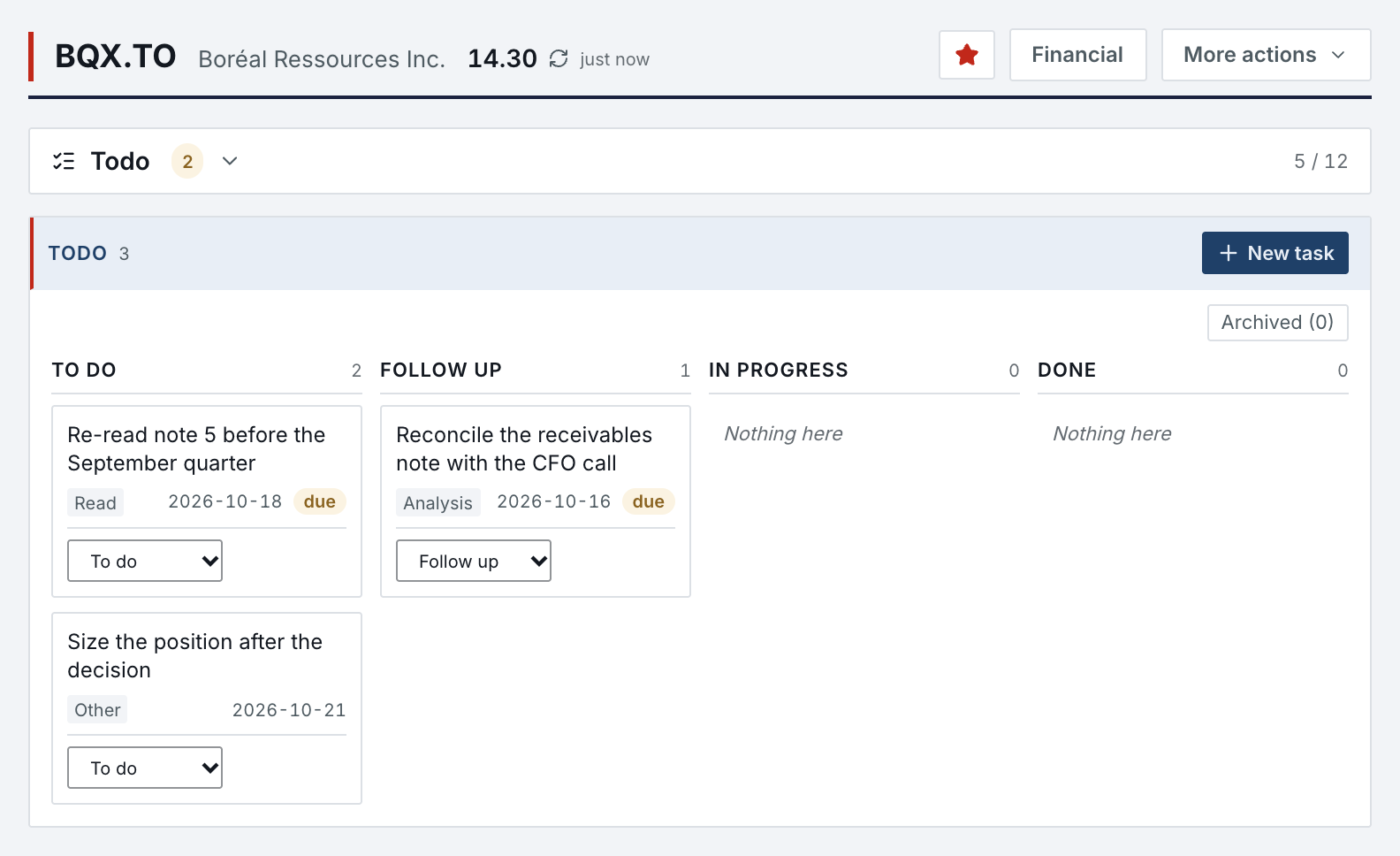
- Typed tasks (Read, Analysis, Other) with due dates, on a board: To do, Follow up, In progress, Done. Overdue tasks surface in the Daily focus of the Home page.
- Notes
- A dated journal by category (Write-up, Interview, Management, Competition, Evaluation) for IR calls, news reading and changes of mind, shown as a list, in detail or as cards.
- Documents
- Filings and PDFs attached to the profile, ready once the server has verified them, then converted to Markdown.
- Export
- The whole profile as structured text for your next session, in Norlyst or elsewhere.
What a profile needs.
Most of a profile needs no other account. The parts that reach outside say so where they are used.
- Nothing else
- Overview, thesis, notes, TODO, decisions, the price target journal and documents.
- Market data
- Quotes and the price chart come from a market-data provider, with no account of yours.
- Your accounts
- Your own AI assistant for the analyses you do not paste yourself; a Canadian filings service you subscribe to for SEDAR+ documents. SEC filings need nothing.
Research profiles in Features
All 74 features →| # | Feature | What it does | Needs |
|---|---|---|---|
| 10 | Pipeline | Table or board of every profile: classification, potential, catalyst year, status, invested or following, graveyard. Last update comes from the record itself. | Nothing else |
| 11 | Research profiles | One profile per ticker on twelve pages in three families: Overview, Decisions, Thesis, Notes, Todo · News, Filings, Documents, Links · Management, AI, Comments. The thesis takes rich text and images. | Nothing else |
| 12 | Take Decision | Record Buy, Hold, Sell, Watch, Pass, Short or Cover with its side, its recorded price and an optional reason. A decision never changes the price target. | Nothing else |
| 13 | Price target journal | Dated revisions of the price target, with side, price and estimated close. Every projected return reads the revision in force, and the target draws as a line on the price chart. | Nothing else |
| 14 | Price chart pins | Your notes, the news, the reasons you passed and your decisions, each on its day on the profile's price chart, filterable by category. | Market data |
| 15 | Long / Short | An analysis can be short, on the profile, the Pipeline and every watchlist, with short-cost assumptions, collateral income, and the return on the amount sold or on the margin. | Nothing else |
| 17 | Structured import & export | Paste an analysis and check its verdict and findings before it lands, or let your assistant import it. A whole profile comes back field by field (same, new, conflict); nothing lands unticked. Canonical export of the profile for the next session. | Your AI assistant |
| 20 | TODO | Typed tasks with due dates, reminders, rich notes and references to profiles, reports, deals or retrospectives. Overdue count in the sidebar. | Nothing else |
Access is granted in small batches.
Create your account now. It waits until access is granted, and nothing is charged.
- 01
Sign in at app.norlyst.com with Google or Apple.
- 02
Your account waits on a page that says so; no workspace opens yet.
- 03
Access is granted, and your workspace opens at your next sign-in, on every device.
Questions first? [email protected] · Privacy