What leaves the workspace, and what never does.
Your thesis, your notes and your analyses are the product. This page names every kind of call that goes out, what travels in it and whose account it runs under, how the data is kept, and who can reach it. It is written from the code, not from a policy.
Four commitments, each with its mechanism.
What the product promises, and the part of the code that holds it to the promise.
- Private
- One private workspace per account. What you write is visible to your account and to no other: no shared feed, no team browsing your profiles, no public list of what you follow. In the code: database and storage rules allow reads and writes only under your own account, once access is granted and your email is verified.
- Imports
- Nothing overwrites an analysis. A paste is a preview you accept, and an analysis your assistant imports lands as a new version; the earlier one stays in its history. A connected assistant adds and modifies, never deletes. In the code: an import must carry one complete block, every finding with its rationale, source and category, or it is refused; an assistant modifies only the value it last read, and the value it replaced is kept 10 days.
- Files
- A document counts once the server has checked it. A file you attach is not ready because the upload finished; it is ready when the server has verified what arrived. In the code: files up to 50 MiB, 100 per profile, are checked by SHA-256, declared type and structure before they are marked ready; download tokens are stripped.
- Services
- External services, labelled where they are used. Some features reach outside: a filing archive, a market-data provider, a newsletter, a prediction market. Each is labelled in the app, and the table below says what travels. In the code: the hosts the product calls are a closed list; features that need your own account stay greyed out until you connect it.
- Approve
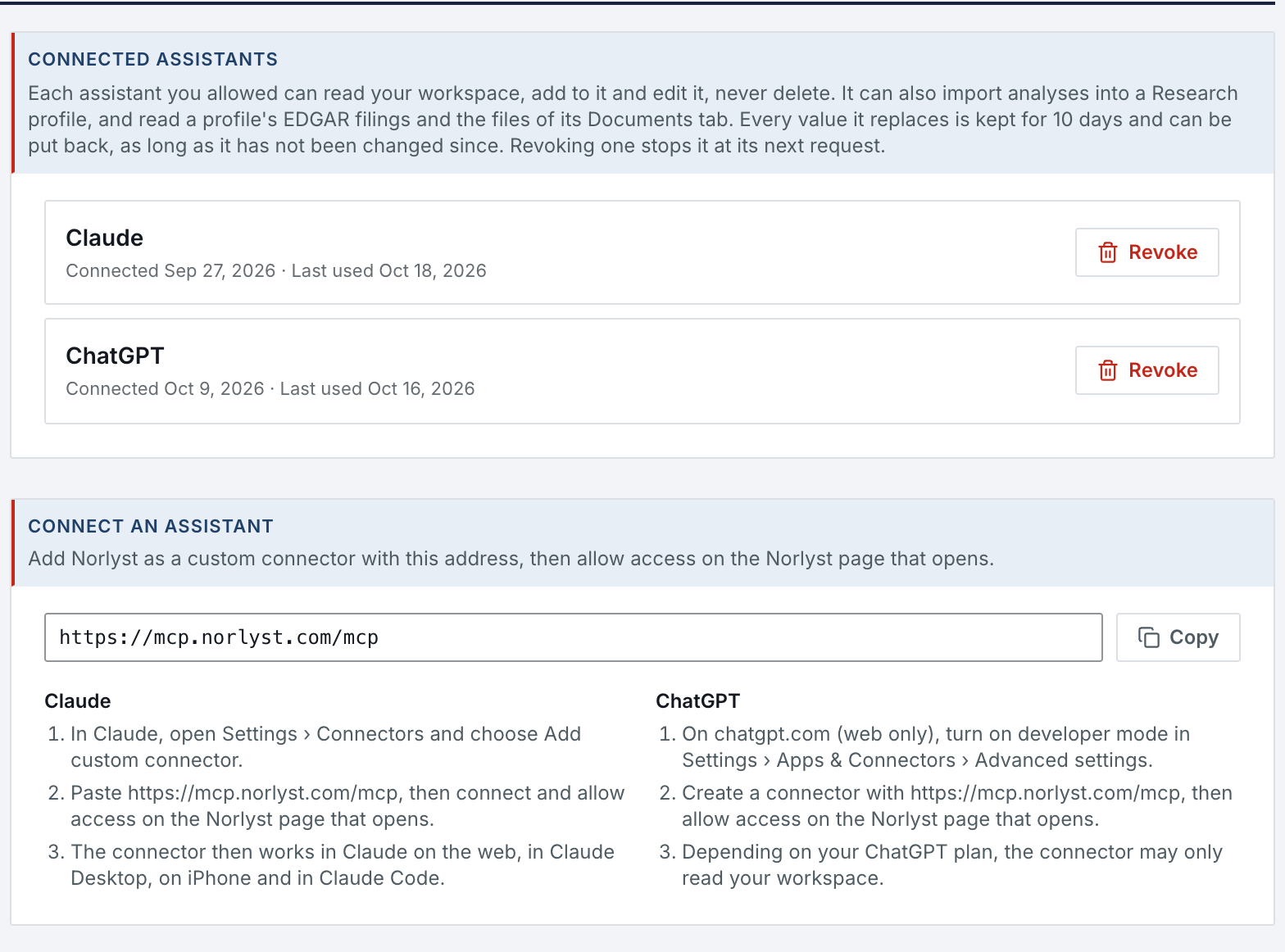
- An assistant connects only after you approve it on a Norlyst page.
- Revoke
- Revoke any connection in Settings; it stops at its next request. A connection also ends after 30 days without use, when your access is withdrawn and when the account closes.
- Hashed
- Norlyst stores the assistant's name, its dates and hashes of its access tokens, never the tokens themselves, and never your conversations.
- Logged
- Each request is logged with the tool it used and its outcome, without its content.
Every kind of outbound call, with what travels in it.
“Device” means the macOS or iOS app calls the source directly; “Server” means Norlyst's own cloud functions make the call, for the web app, for scheduled jobs or to convert a document. Only two rows carry your own content, and both go where you sent it: to the assistant you connected and to your OneDrive.
| Kind | What leaves | Where it goes | Path | Your account |
|---|---|---|---|---|
| Your workspace | Profiles, notes, analyses, deals, reports, TODO, watchlists, clips, settings, and your files unless OneDrive holds them. Encrypted in transit and at rest. | Norlyst's Google Cloud project: Firestore in us-central1, Cloud Storage in us-east1. | Device → Server | Norlyst sign-in |
| Sign-in | Nothing from your workspace: you sign in on Google's or Apple's own page. | Google · Apple · Firebase Authentication | Device | Google or Apple |
| AI assistant | What the assistant you connected asks for: profiles and notes, Divers Notes, TODO, ideas, deals, registers, imported reports, your LLM Rules and your analyses' full reports, and a profile's SEC filings and the text of its documents, as text. | Your assistant's provider, Anthropic or OpenAI, through Norlyst's connector at mcp.norlyst.com. | Server → Assistant | Your Claude or ChatGPT |
| OneDrive | Your documents, note images and clips, and the daily Markdown and JSON export of the workspace. | Your own OneDrive, in one Norlyst folder, through Microsoft Graph; you sign in on Microsoft's page. | Server | Your OneDrive |
| SEC filings | The ticker, resolved to a CIK, and the accession numbers you or your assistant pick; for filing alerts, the CIKs of the profiles you turned alerts on for. | sec.gov and data.sec.gov, through Norlyst's SEC gateway. | Server; macOS viewer: Device | No |
| Market data | The symbols you hold. During market hours the server also refreshes watchlist quotes every 15 minutes. | Market-data providers. | Server; macOS: Device | No |
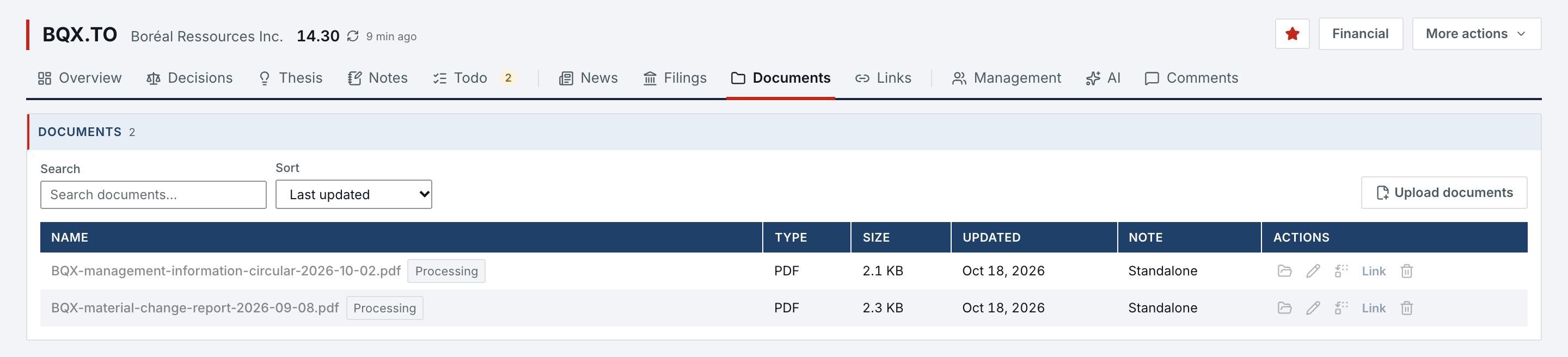
| Canadian filings | The issuer's symbol or name, a from-date, and the session you saved for that service, renewed with the login you entered if you did; the same session reads the trading prints you open. | A Canadian filings service you subscribe to. | Server; macOS: Device | Your subscription |
| Document conversion | The filing or PDF itself, turned into Markdown with its exhibits and iXBRL extraction. | Norlyst's own cloud functions; no third-party converter. | Server | Norlyst sign-in |
| TSX | Nothing about you: a public CSV for the MOC Scanner and the public new-listing bulletins. | tsx.com | Server; macOS: Device | No |
| Substack | The session cookie you saved; then your subscriptions and reader inbox, hourly. Personal tokens are stripped from stored links. | substack.com and the publications' own domains. | Server | Your Substack |
| Polymarket | The market slug you added; the embedded chart loads from Polymarket. | Polymarket's API and embed. | Server; macOS: Device | No |
| Clipper & Share sheet | The page URL, the selection or article you clipped, with its title and date. Public images in it are archived by the server. | Norlyst's own cloud functions. | Device → Server | Norlyst, paired install |
| Operator notice | For an account waiting for access: its address, sign-in provider, display name and account ID. | The operator's own mailbox, sent by a scheduled job. Never sent to you. | Server | No |
| Network edge | All traffic to norlyst.com and app.norlyst.com, the app's API calls included. The encrypted connection ends at Cloudflare, which forwards it to Google Cloud. | Cloudflare | Browser → Cloudflare → Server | No |
| This website | Nothing you type: this site has no form, sets no cookie and runs no analytics. Fonts load from Google Fonts. | fonts.googleapis.com · fonts.gstatic.com | Browser | No |
What never leaves on Norlyst's initiative.
Everything in the table above goes out because you, or the assistant you connected, asked for it. These never do.
- Your words
- Your thesis, notes, LLM Rules, analysis text and cell comments, unless an assistant you connected asks for them.
- Your files
- Your documents, unless an assistant you connected reads them. Conversion to Markdown and text extraction run on Norlyst's own server, not at a vendor.
- Models
- Anything, to a language model, on Norlyst's initiative. Analyses run in your own assistant; there is no model SDK and no model key in the product.
- Tracking
- Usage analytics. The app and this site carry no tracker, no analytics script and no crash reporter.
- Email, push
- Norlyst sends you no email and no push notification. Filing alerts wait in the app, with a system notification on the Mac and the web while it is open.
- Credentials
- The session you save for a third-party service is sent only to that service and never logged.
How the data is kept, and for how long.
Where each copy lives, what is backed up, and what is left after you close the account.
- Regions
- Firestore in Google Cloud's us-central1 region, Cloud Storage in us-east1: in the United States, outside Canada. With OneDrive connected, your files live in your own OneDrive.
- Backups
- The database is backed up daily, each backup kept 14 days, with point-in-time recovery over the last 7 days. Files in Cloud Storage are not backed up: each one exists once, in Norlyst's storage or in your OneDrive.
- Logs
- Platform logs are kept 30 days. They record each request without its content, with the network address it came from; some requests carry the symbols you asked for in their address.
- Durations
- “Seen” markers last 14 days, filing alerts 14 days, imported Substack posts 30 days; price history is cached for 24 hours. Your own records have no expiry.
- Deletion
- Closing the account from the app removes your sign-in at once and purges the workspace within 24 hours.
- What remains
- The deletion request with your address, the operator's log of admissions, the backups for up to 14 days, and the files in your own OneDrive, which are yours and untouched.
Who can reach your workspace.
You, the assistant you connected, and nobody else through the product. The one other path, the operator's cloud console, is named here with the rule that governs it.
- Operator
- The operator's screen in the app lists accounts (address, admission, dates) and never shows workspace content. The project's cloud console could technically reach the data; the operator opens it on a workspace only at your written request, for a legal obligation, or for a security incident.
- Sign-in
- Google or Apple, with their own two-step verification. An email address must be verified; signing out ends the session on that device, and deleting the account ends every session.
- Tokens
- Assistant access tokens and Clipper credentials are stored as hashes, never in clear; each Clipper installation pairs once and can be revoked on its own.
- Third parties
- The session you save for the Canadian filings service and, if you enter them, its login and password, sit in your settings document, encrypted at rest by the platform but not by Norlyst. Microsoft's permission covers your OneDrive; Norlyst writes only in its own folder.
Found a weakness? Tell the person who wrote the code.
Write to [email protected]. You get an answer from the founder. The same address is in /security.txt.