Alert emails and clips wait until each one has a destination.
Paste an alert email and its eligible items join the To-analyze queue, deduplicated for life: a symbol you analyzed, blocked or already queued does not come back. Clips from the Norlyst Clipper and the Share sheet wait in an inbox until you file them to a profile, to Divers Notes or to an avoid register.
- Queue
- To analyzeEvery eligible item of an alert email
- Dedup
- For lifeAnalyzed, blocked and queued symbols are skipped
- Clipper
- Safari, FirefoxmacOS and iOS; a link, a selection or an article
- Destinations
- 4Research note or link, Divers Notes, an avoid register
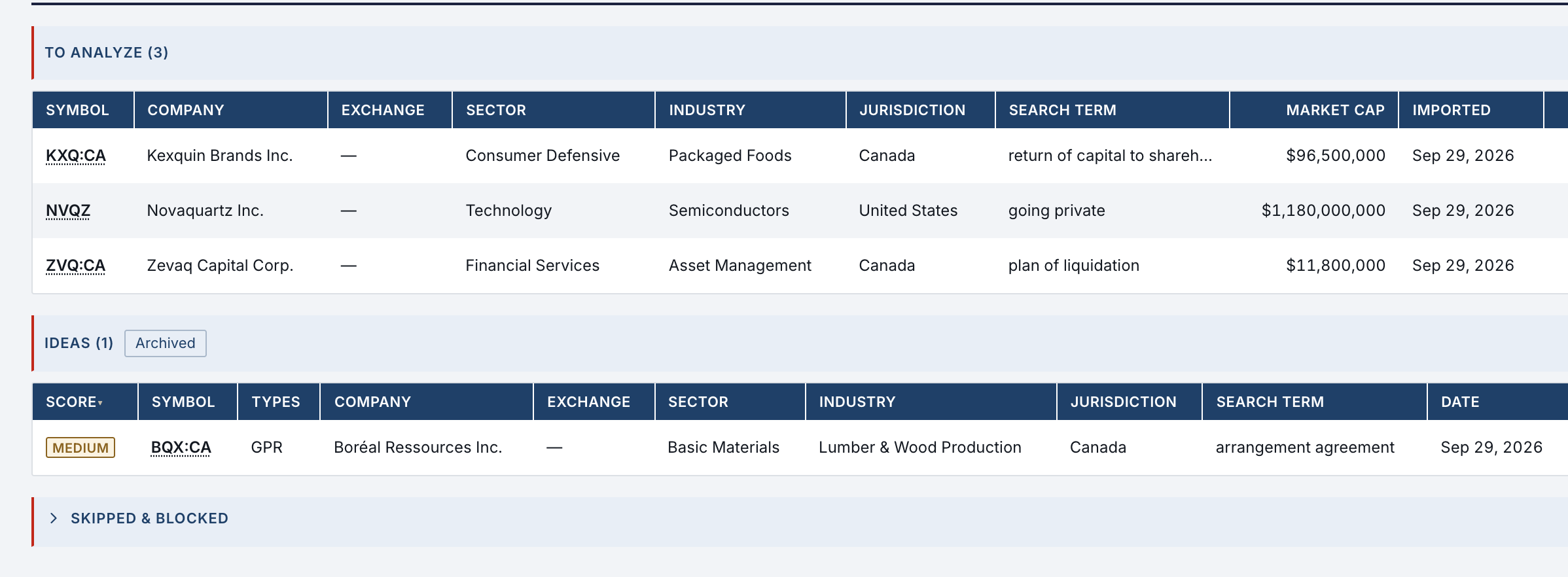
- Triage
- Each item carries its symbol, company, exchange, sector, industry, jurisdiction, search term, market cap and import date; Open link, Prompt and Analysis work it.
- Ideas
- An analysis validated from the queue becomes an idea with its score; an idea is promoted to a profile or to the Arb / LS simulators.
- Events
- Skip, Block and Archive each leave a dated event; a blocked symbol stays out until you unblock it.
An alert email becomes a queue in one paste.
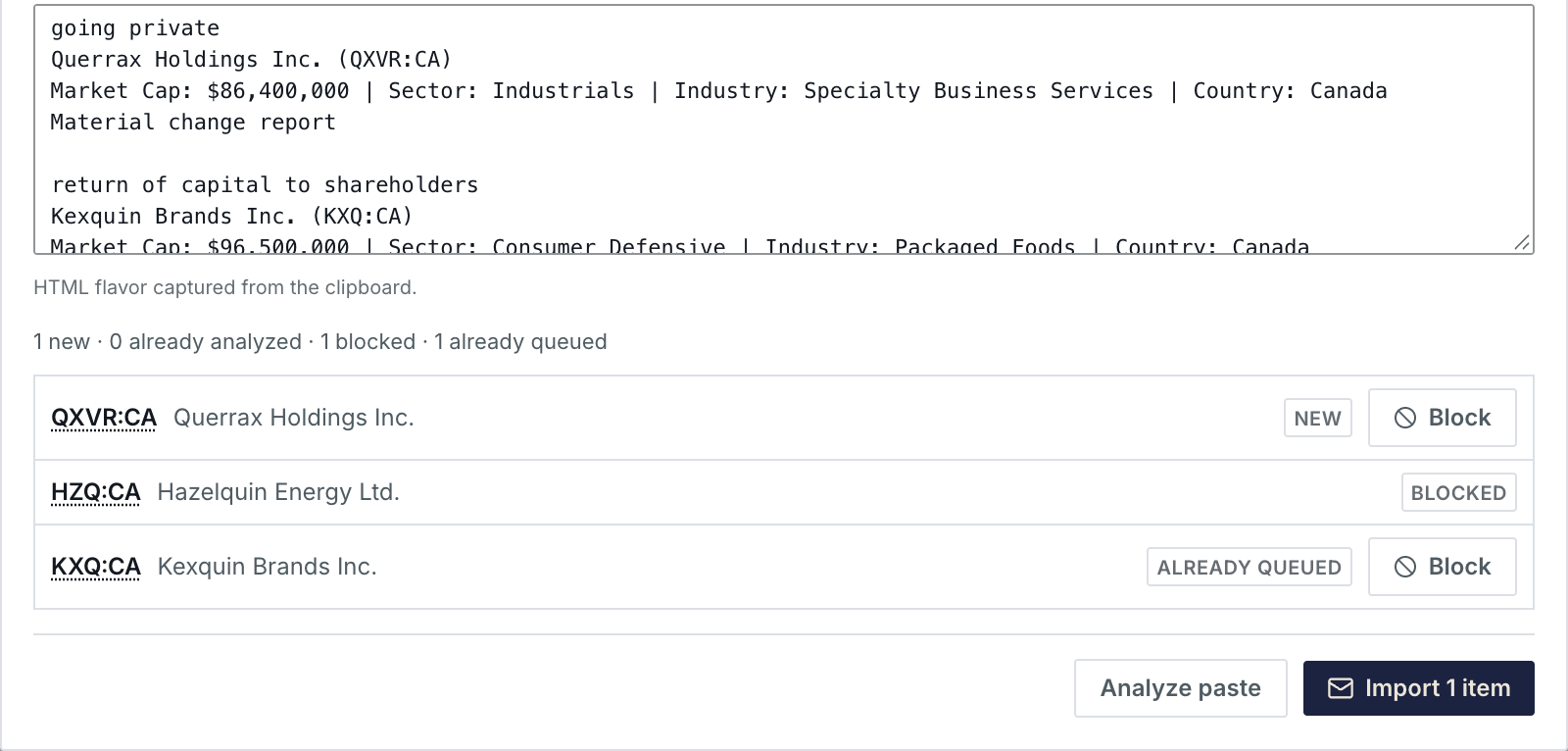
Paste the email body, or its full source, and Analyze paste reads every alert item: the company, the ticker, the search term that matched, the market cap and the link. Before anything is imported, the preview says what is new, what is blocked and what is already queued.
- New
- Joins the To-analyze queue when you import it.
- Blocked
- A symbol you blocked is never queued again.
- Queued
- An item already in the queue is not added twice, and a symbol already analyzed is skipped.
- Block
- A new or queued symbol can be blocked from the preview itself.
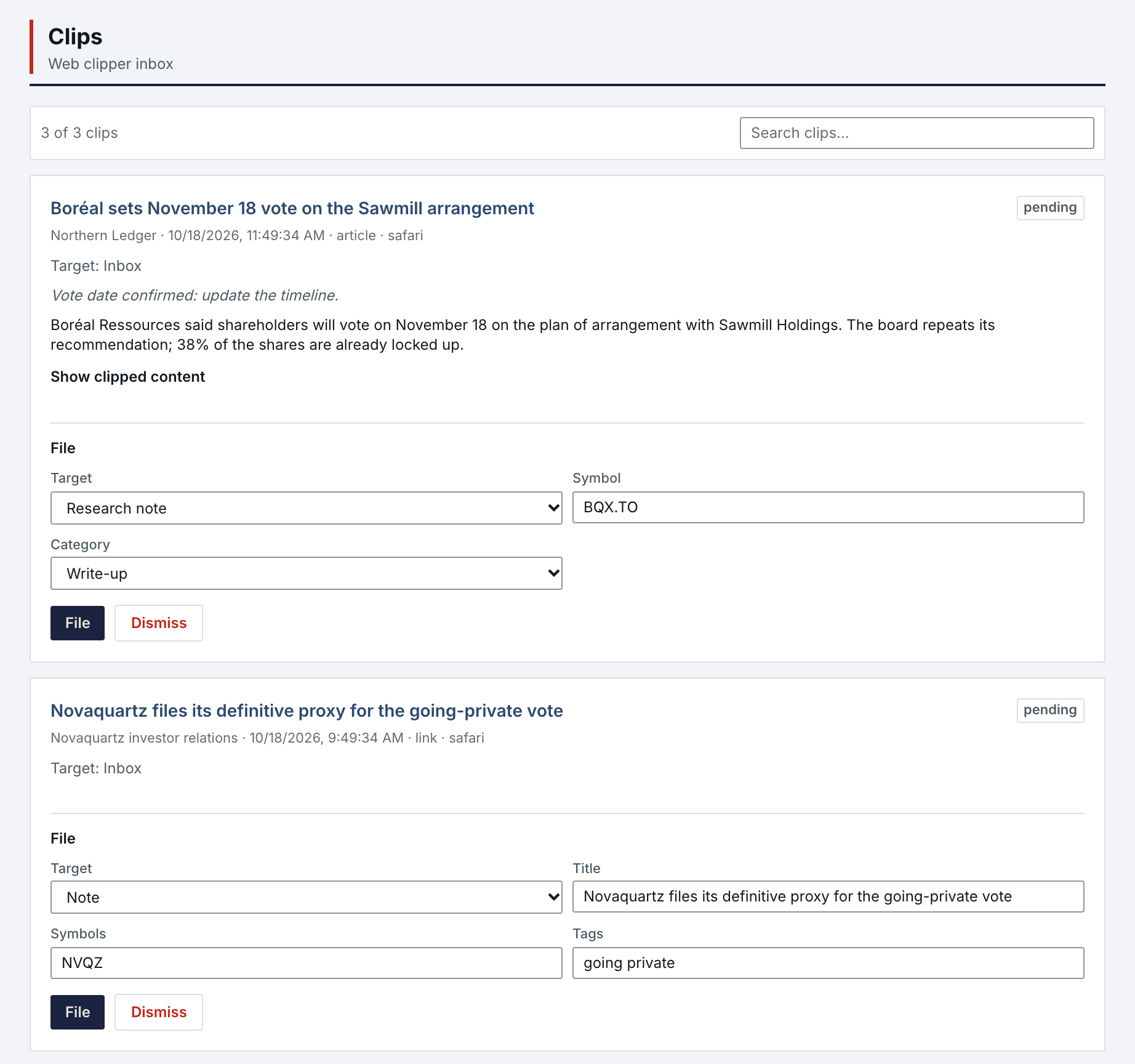
Clips wait in an inbox until you file them.
A link, a selection or a whole article clipped from Safari or Firefox lands in the Clips inbox with its source, date and comment. Choose where it goes, a Research note or link on a profile, a Note in Divers Notes with its symbols and tags, or a source on an avoid register, then File it or Dismiss it.

The Clipper and the Share sheet feed the same inbox.
The Norlyst Clipper works in Safari on macOS and iOS and in Firefox; the Share sheet works on iPhone, iPad and Mac. Both send what you capture to the inbox, with the destination you chose at capture time.
- Clipper
- A link, a selection or the whole article, with its URL and date. Each installation pairs once and can be revoked on its own.
- Share
- A link, text, a document or an image is saved on the device first, then uploaded with visible steps: Ready, Uploading, Verifying, Saved.
- Categories
- A capture filed to a profile note takes one of your own categories, chosen at capture time.
What it needs.
The queue, the ideas and the inbox need no other account. What comes in is what you already receive.
- Nothing else
- The To-analyze queue, ideas, events, the Clips inbox and its destinations.
- Your alert emails
- The alert emails you already receive; Norlyst reads what you paste and nothing else.
- Your assistant
- Optional. It can add an idea, or analyze pending items in a batch with your own Claude session.
Special Situations & Capture in Features
All 74 features →| # | Feature | What it does | Needs |
|---|---|---|---|
| 08 | Special Situations | Paste an alert email, or let your assistant add an idea; eligible items join the To-analyze queue. Validated ideas are promoted to a profile or a simulator. Skip, Block and Archive each leave a dated event. | Nothing else |
| 09 | Batch analysis | Export pending ideas, run them through a local runner with your own Claude session, and import the results with a warning-by-warning review. Never overwrites an existing idea. | Your AI assistant |
| 46 | Norlyst Clipper | Safari on macOS and iOS, and Firefox. A link, a selection or the article, with URL and date. Each installation pairs once and is revocable on its own. | macOS · iOS · Firefox |
| 47 | Share sheet | iOS and macOS: a link, text, a document or an image is saved locally first, then uploaded with visible steps: Ready, Uploading, Verifying, Saved. | iPhone · iPad · macOS |
| 48 | Destinations & categories | File a capture to a profile, to Divers Notes or straight into People or Companies to Avoid, with your own categories chosen at capture time. | Nothing else |
Access is granted in small batches.
Create your account now. It waits until access is granted, and nothing is charged.
- 01
Sign in at app.norlyst.com with Google or Apple.
- 02
Your account waits on a page that says so; no workspace opens yet.
- 03
Access is granted, and your workspace opens at your next sign-in, on every device.
Questions first? [email protected] · Privacy