
Every idea repriced against its target, every decision graded by the price.
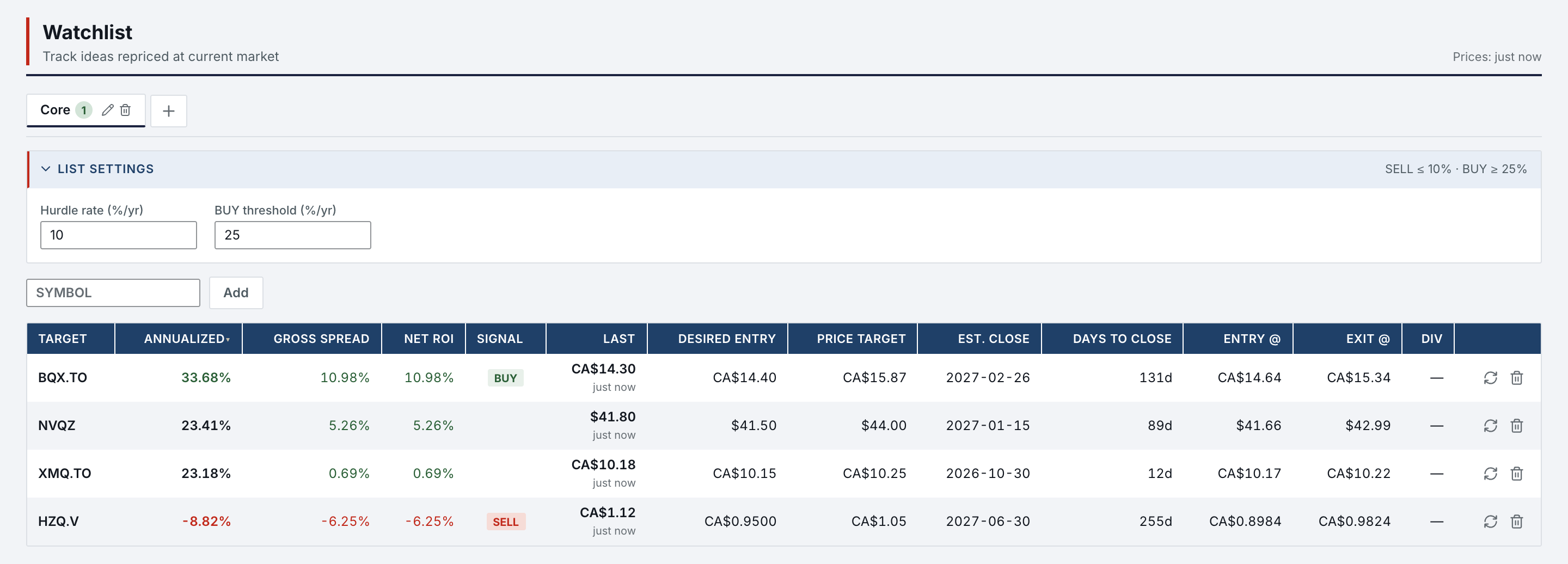
The Watchlist computes, list by list, the IRR from today's price to the price target in force, and reads BUY or SELL against two thresholds you set. Take Decision records what you did about it, and the Decisions page later rates each decision against the price that followed.
- Thresholds
- 2 per listSELL at or below the hurdle, BUY at or above the entry threshold
- Return
- IRR to targetFrom today's price, dividends included
- Decisions
- 7 kindsBuy, Hold, Sell, Watch, Pass, Short, Cover
- Verdict
- Good, Neutral, BadAgainst a neutral band, 5% by default
- Rule
- Two thresholds per list: SELL at or below the hurdle, 10% by default; BUY at or above the entry threshold, 30% by default. A short reads SHORT, COVER or HOLD.
- Dividends
- A recurring dividend (amount, frequency, start date) runs to the estimated close; one-off payments sit beside it.
- Focus
- When a row clears its threshold, the Daily focus on the Home lists it among the day’s exceptions, with what is due and the deals closing within 30 days.
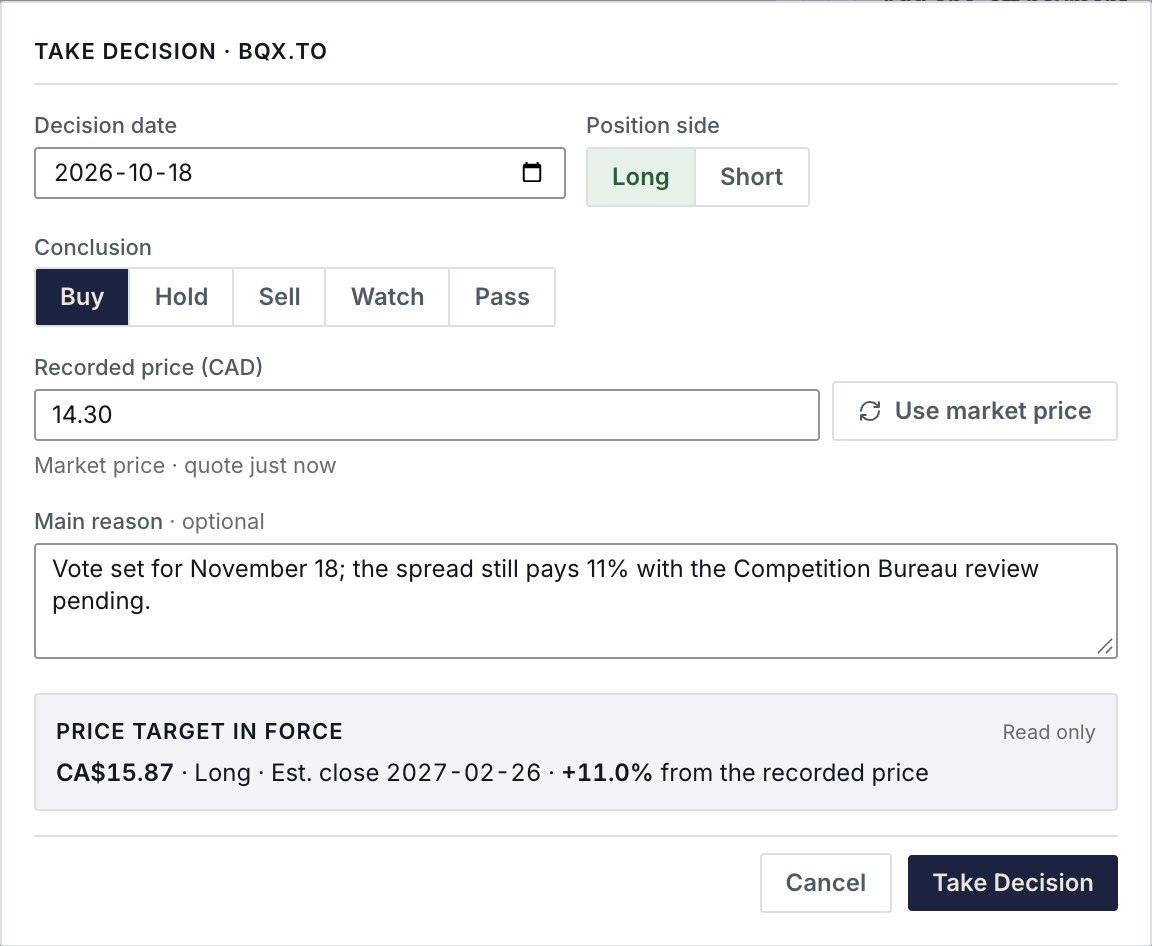
A decision is recorded in one step, beside the target in force.
Take Decision opens from the profile with today’s date and the market price. Pick the side and the conclusion, keep or change the recorded price, add a reason if you want. The price target in force stays read only beside it, with the return it implies from the recorded price.

Later, the price that followed grades the call.
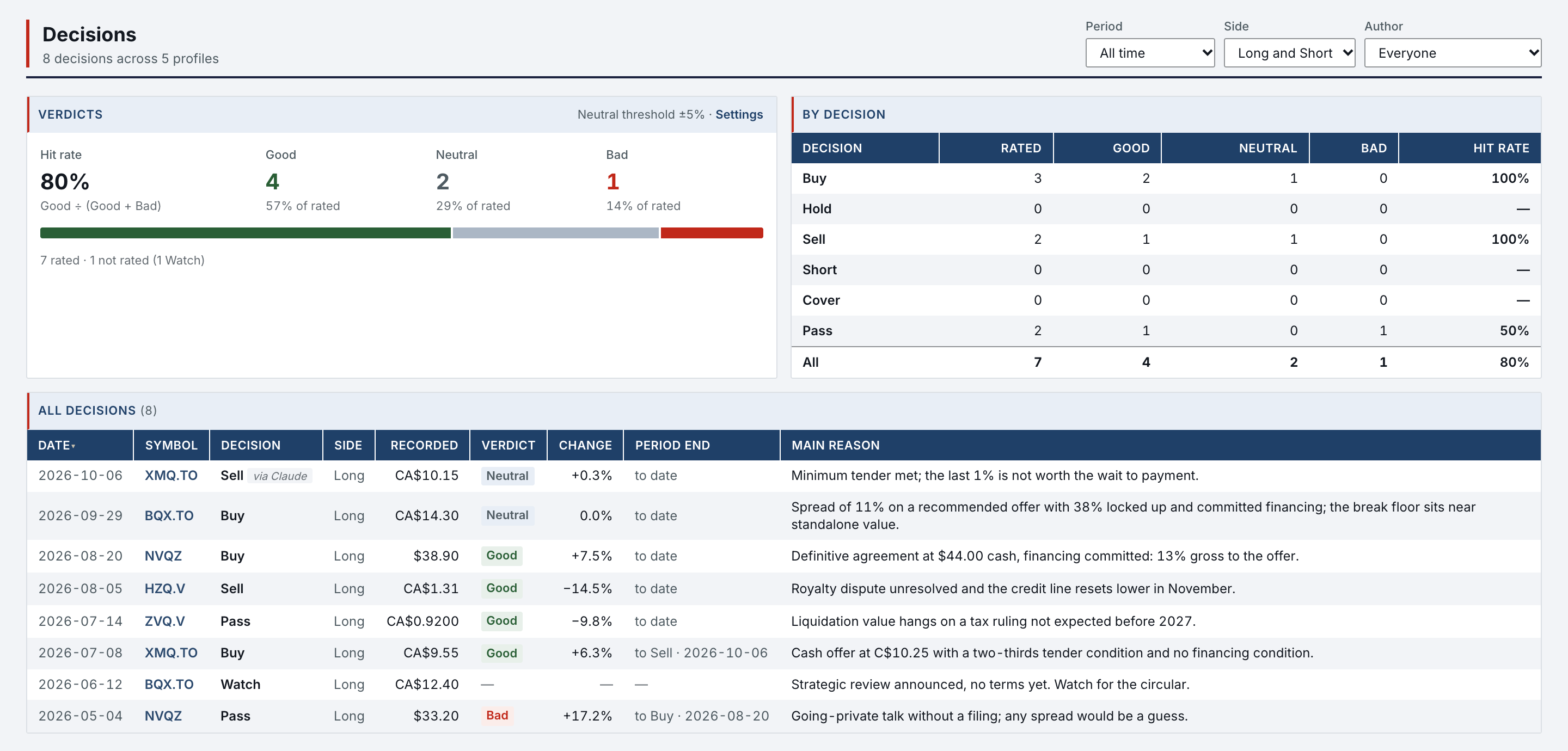
The Decisions page lists every decision across your profiles with its verdict: Good, Neutral or Bad, read from the price since then. The hit rate follows every filter: period, side and author.
- Verdict
- Recomputed at every reading from the recorded price and today’s quote, against the neutral band. Change the band and the whole history is rated again.
- Author
- A decision your assistant records when you ask reads “via Claude” or “via ChatGPT”, and is graded like yours.
- Retro
- The retrospective takes the thesis as it stood and what actually happened, and sends the rule you draw back into the profile.
The neutral band is yours to set.
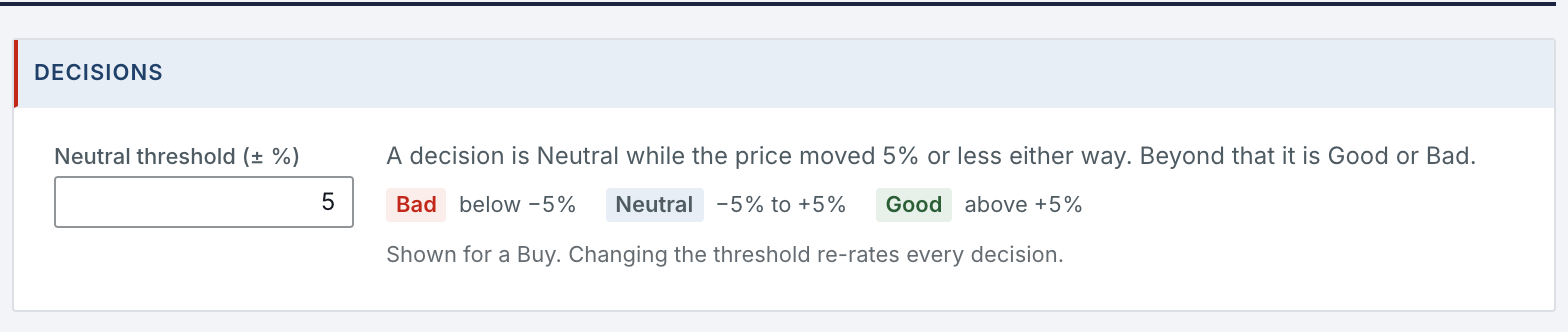
Settings › Decisions holds one number: the price move, either way, under which a decision counts as Neutral.
- Band
- ±5% by default: Bad below, Neutral inside, Good above, shown here for a Buy.
- Re-rate
- Changing the band rates every decision in the history again, at once.
- Hit rate
- The Decisions page counts Good, Neutral and Bad under the band in force, for whatever period, side and author you filter.
What it needs.
Watchlists, decisions and their verdicts need no other account. Prices are the one part that reaches outside.
- Nothing else
- Lists, thresholds, decisions, verdicts, the neutral band and retrospectives.
- Market data
- Quotes for the IRR and the verdicts come from a market-data provider, with no account of yours.
- Your assistant
- Optional. A connected assistant records a decision only when you ask it to.
Watchlist & Decisions in Features
All 74 features →| # | Feature | What it does | Needs |
|---|---|---|---|
| 01 | Watchlist | Lists of symbols with a hurdle rate and a buy threshold per list. Price target, last price, IRR to target and a BUY or SELL signal, long or short, read from the price target in force. | Market data |
| 02 | Decisions | Every decision across your profiles with its verdict, Good, Neutral or Bad, against a neutral band you set; counts and hit rate by decision, side, author and period. | Nothing else |
| 12 | Take Decision | Record Buy, Hold, Sell, Watch, Pass, Short or Cover with its side, its recorded price and an optional reason. A decision never changes the price target. | Nothing else |
| 13 | Price target journal | Dated revisions of the price target, with side, price and estimated close. Every projected return reads the revision in force, and the target draws as a line on the price chart. | Nothing else |
| 15 | Long / Short | An analysis can be short, on the profile, the Pipeline and every watchlist, with short-cost assumptions, collateral income, and the return on the amount sold or on the margin. | Nothing else |
Access is granted in small batches.
Create your account now. It waits until access is granted, and nothing is charged.
- 01
Sign in at app.norlyst.com with Google or Apple.
- 02
Your account waits on a page that says so; no workspace opens yet.
- 03
Access is granted, and your workspace opens at your next sign-in, on every device.
Questions first? [email protected] · Privacy